(EN) 7 to Win
7 to Win

Created by
Prof. Dr. José Nunes da Silva Jr.
Ready To Play?
Learn how to get started
How to Play (EN) 7 to Win
Rules
To start the game, click the "Start Game" button above. Afterward, share the room code with friends who will play.
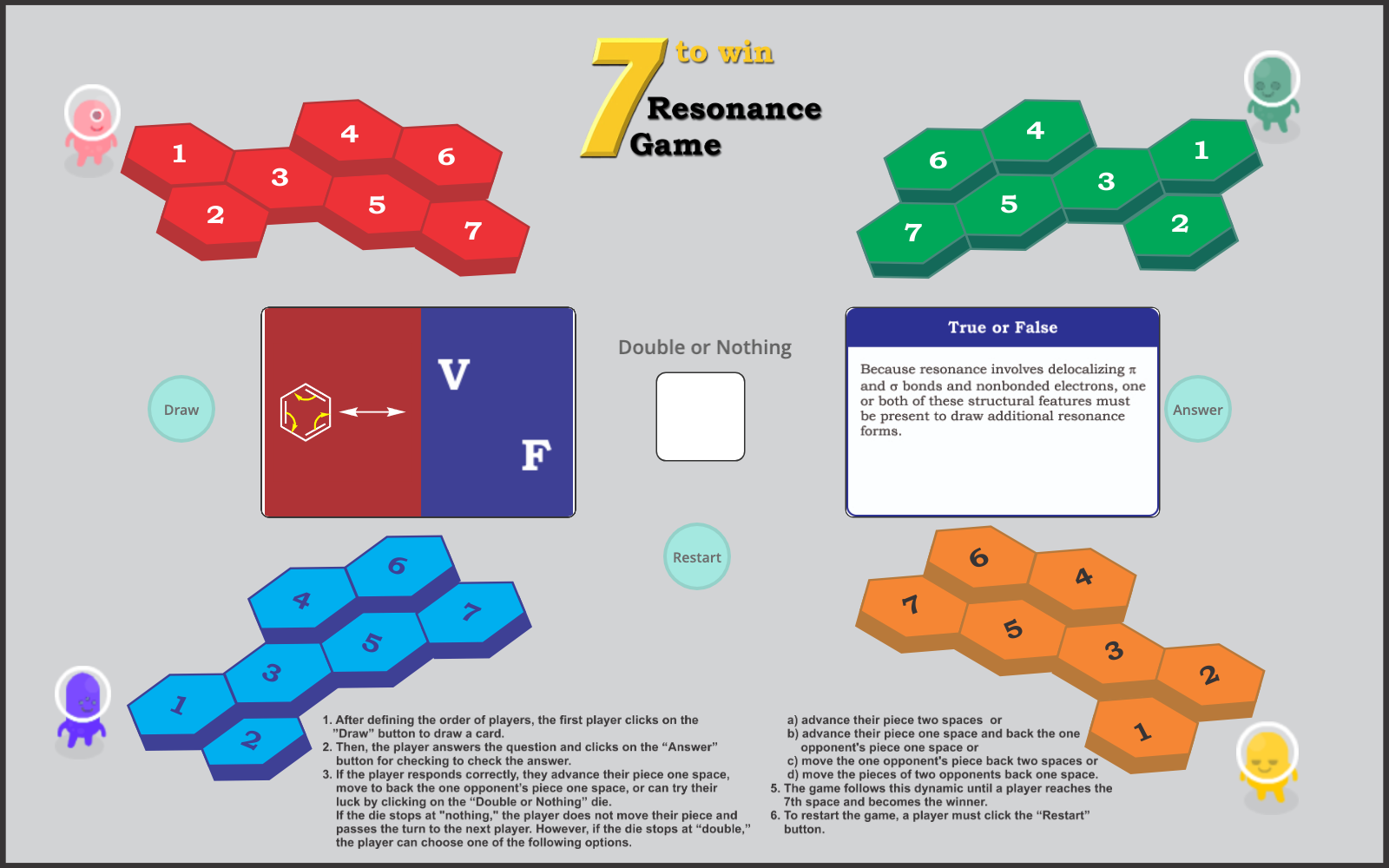
- After defining the order of players, the first one clicks on the "Draw" button (Figure 1-a) to draw a card. There are two possibilities: a) draw a question card or b) draw a fun action card. If a fun action card is drawn, the player must do the command on the card and pass the turn to the next player. On the other hand, if a question card is drawn, the player must answer the question to the other participants and click the "Answer" button to check the answer.
- If the player responds correctly, they have three options:
- a) advance their piece one space or
- b) Move a chosen opponent's game piece back one space.)
- c) or can try their luck by clicking on the "Double or Nothing" dice. In this last case, if the dice shows "nothing", the player does not move their piece and passes the turn to the next player. However, if the dice shows "double," the player can choose one of the options below:
- a) advance their piece two spaces or
- b) advance their piece one space and move a chosen opponent's game piece back one space)
c) Move the chosen opponent's game piece back two spaces or
d) Move two chosen opponent's game pieces back one space each
- The game follows this dynamic until a player reaches the 7th space, winning the match.
- To restart the game, a player must click the "Restart" button.
This game was developed using PlayingCards.io virtual tabletop, an online play space where you can play tabletop and card games directly in your browser, multiplayer with your friends.
PlayingCards.io makes it easy to create, share, and play games.